Registries
Request a New Registry
The procedures for SANA registry specifications are described in the CCSDS Yellow Book 313.2-Y-2 .
The CCSDS document requesting the creation of a new registry must define which one of the following registration rules is to be used for adding new entries or for making changes to the registry:
- Change requires a CCSDS approved document.
- Change requires an engineering review by a designated expert. The expert for that registry is assigned by the CESG based on the WG recommendation.
- Change requires no engineering review, but the request must come from the official representative of a space agency that is a member of the CCSDS. The official representative of an agency may differ for each registry.
- Change requires no review; assignments are done on a first-come, first-served basis.
In the CCSDS document that defines the creation of a registry, the registration rule for that registry must be defined either within the above set of rules or by another rule. This restriction provides guidance to SANA on how to make assignments of new parameters for that registry. The identification of this rule is part of the template included in the SANA Considerations section of the document.
The following lists the suggested SANA Considerations section proposed for inclusion in CCSDS standards track documents.
No SANA Action
When there are no SANA actions, the following text is suggested to be included in the CCSDS standards track document.
SANA Considerations
The recommendations of this document do not require any action from SANA.
New Registry To Be Created
When a new registry is requested to be created by SANA, the following information should be included in the CCSDS standards track document.
A SANA Considerations section for each new registry should contain:
- the name of the registry
- the structure of the registry (column names, …)
- a precise data type for each data, including boundaries
- registration rule governing how SANA will assign new parameters to that registry.
This text below is an example and should be adapted to the appropriate context.
SANA Considerations
The recommendations of this document request SANA to create the following registry(ies).
The registry named FrameID consists of a table of parameters:
- FrameID: an integer between 0 and 256
- Description: a string of text describing the parameter
The initial registry should be filled with the following values:
| FrameID | Description |
|---|---|
| 0 | Reserved |
| 1 | Basic Frame |
| 2 | Extended Frame |
The registration rule for new values of this registry requires no engineering review, but the request must come from the official representative of a space agency, a member of the CCSDS.
Update a Registry
Procedure
When a change to an existing registry is requested to SANA, the following information should be included in the CCSDS standards track document. The change may be adding new entries in the registry or a change in the structure of the registry. If a change in the structure of the registry is required, the SANA Considerations section should contain the same information needed to create a new registry, such as data types, boundaries, registration rule, etc.
The text below provides examples and should be adapted to the appropriate context. The first example shows the addition of new records to an existing registry. The second example shows a structural change of an existing registry.
SANA Considerations
The recommendations of this document request SANA to update the FrameID registry by adding the following two new records.
| FrameID | Description |
|---|---|
| 3 | Compatibility Frame |
| 4 | IPv4 packet payload |
SANA Considerations
The recommendations of this document request SANA to update the FrameID registry by adding the new name column.
The registry named FrameID consists of a table of parameters:
- FrameID: an integer between 0 and 256
- Name: a string of [a-zA-Z0-9] characters, limited to 256 chars maximum
- Description: a string of text describing the parameter
The current registered entries will have the value as empty in their respective Name column.
The registration rule is not changed.
Form Structure
This section provides the indications on how to submit a request for a new SCID in SANA.
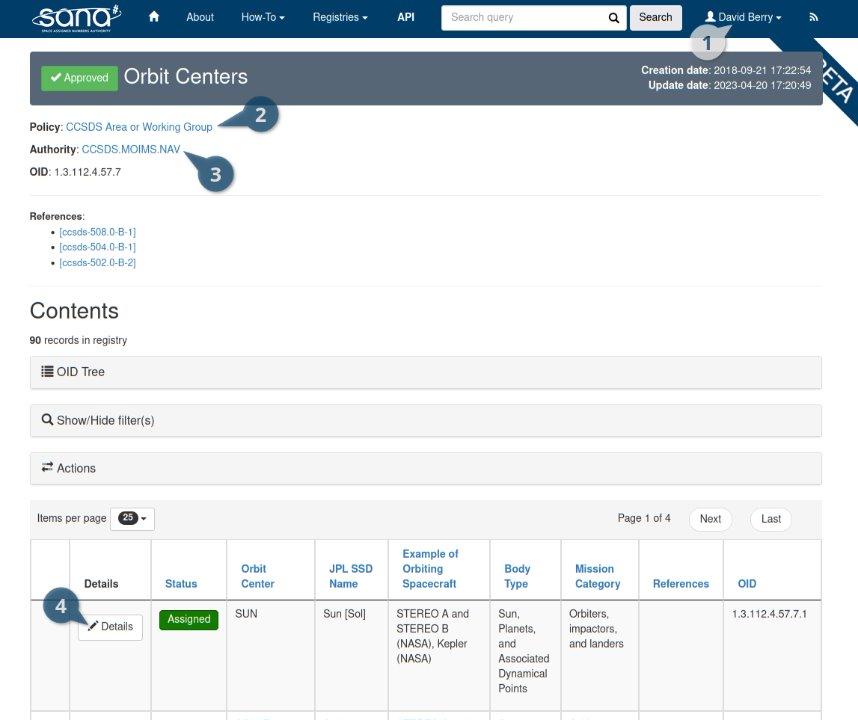
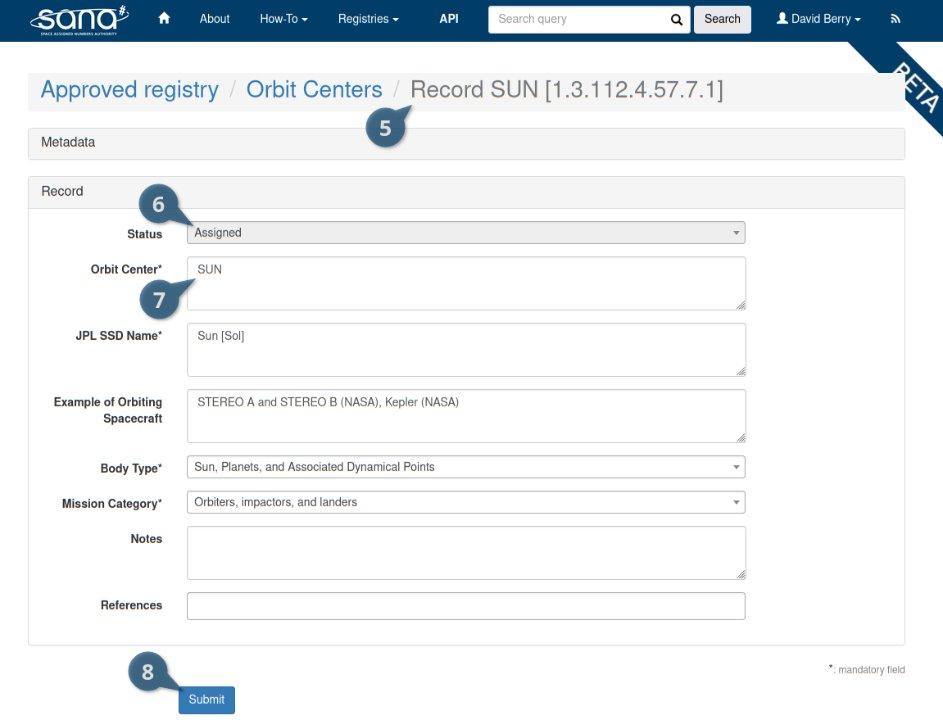
Legend
- You are logged in with a WG Chair account
- Area Director or WG Chair can update records
- MOIMS Area, NAV Working Group
- The button shows a pencil, you can edit the record
- The record you are viewing
- You cannot edit greyed fields
- You can edit white fields
- Save your updates
Registry Structure
The SANA registries have a structure that allows for searching and consulting their records.
Standard Registry Structure
The majority of the registries follow the same structure. There are a few cases that may be different.
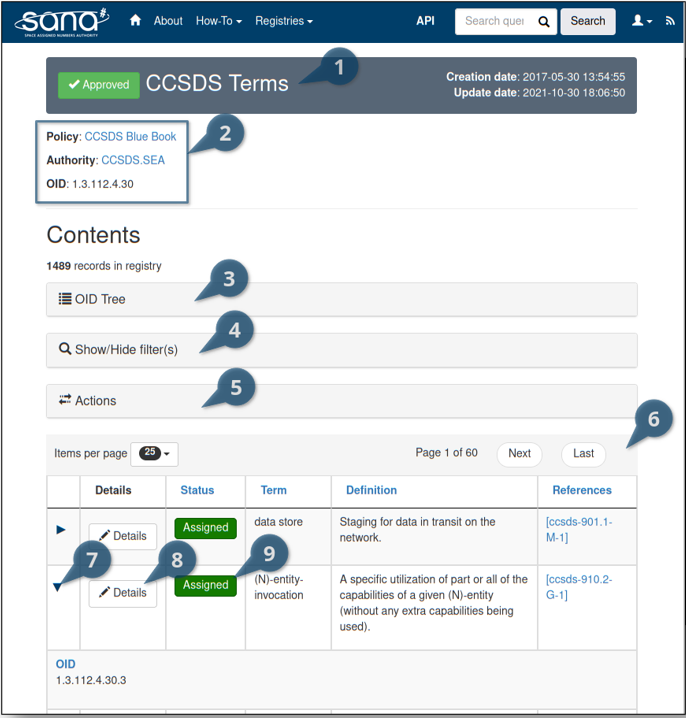
Legend
- The status and title of the registry
- Meta information
- Such as operating rules, OID, notes, files, etc.
- The Object Identifier (OID) Tree
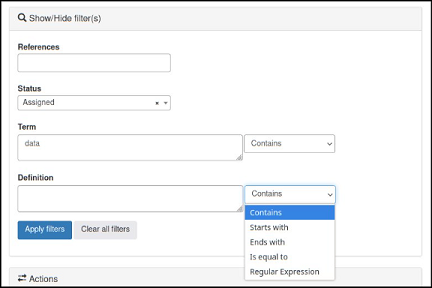
- The filters to search for records
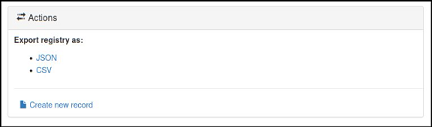
- The user actions on the registry
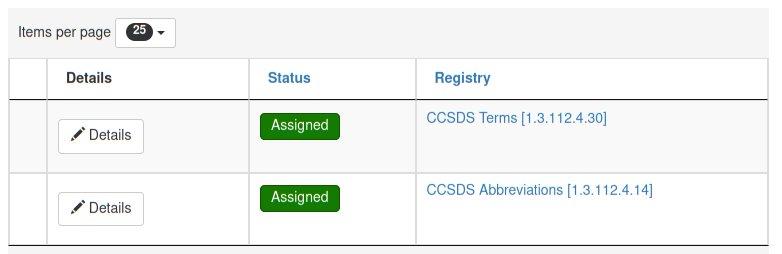
- The registry records table containing the records
- An arrow to expand/reduce the record, depending on the screen resolution
- Note: The arrow appears depending on the screen resolution
- The button to get the record's details
- When the button has a pencil icon on it like on the example, the user may edit the information of the record.
- When the button has an eye icon, the user may only see the information of the record.
- The record's status
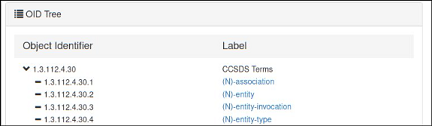
Special Registry Structure
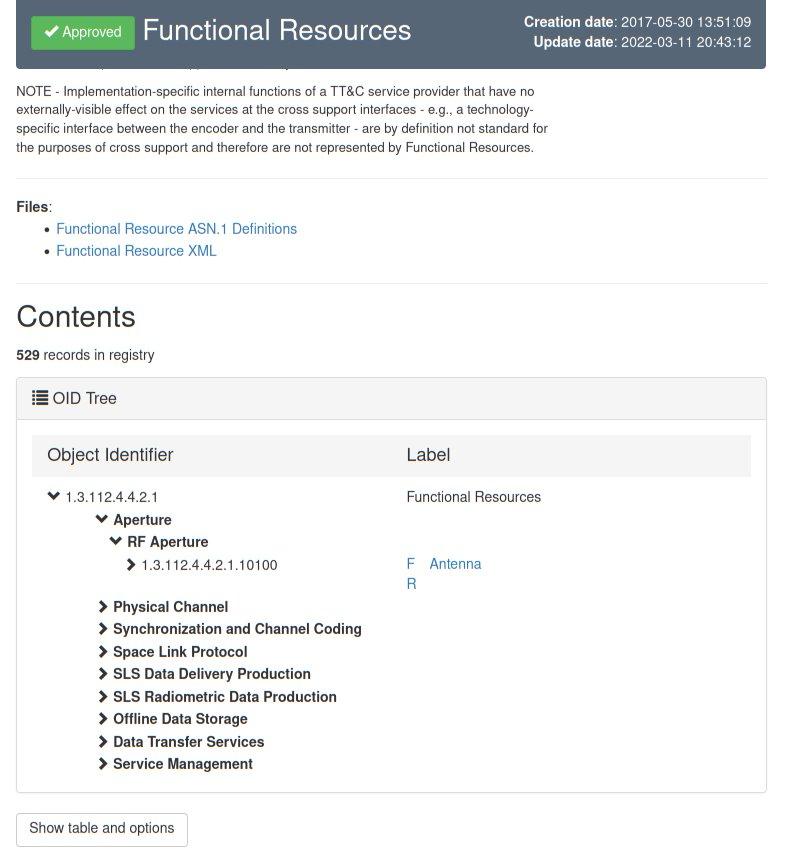
Some registries may have a different structure to provide additional details.
- Meta Registry Structure
- OID Tree Only Registry Structure
Record Features
When consulting a registry, the information of a record can take many forms that are more than just text.
- Text Formatting
- Links
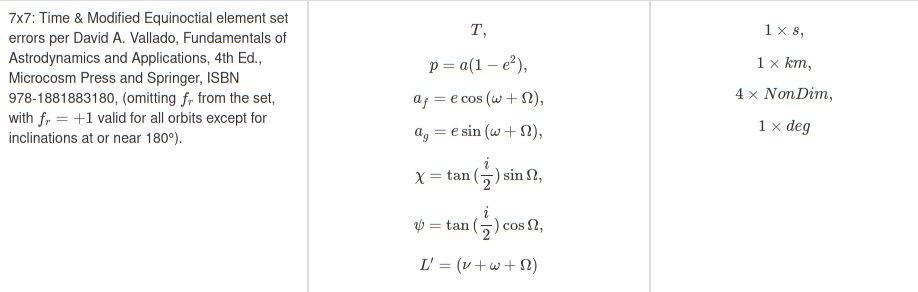
- Equations
- Graphics



Record Details
After selecting a record from a registry, its details will be shown as a form.
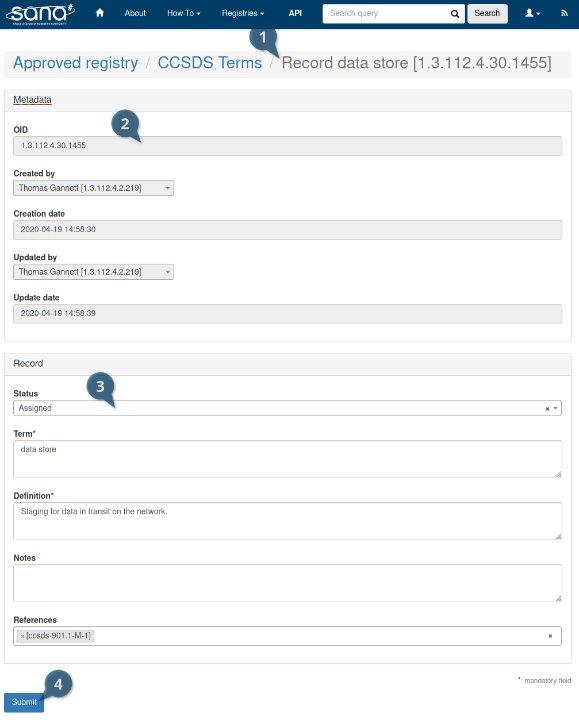
Legend
Take note that, depending on your permissions, you may not have editable fields and the "Submit" button.
- Breadcrumb
- Grey fields are non-editable
- White fields are editable
- The "Submit" button will apply the change to the record