SCID
Among the tools from the home page is the Spacecraft and spacecraft id management, which allows an authorized user to request for a new SCID and manage existing ones.
Request a New SCID
This section provides the indications on how to submit a request for a new SCID in SANA by completing the request form.
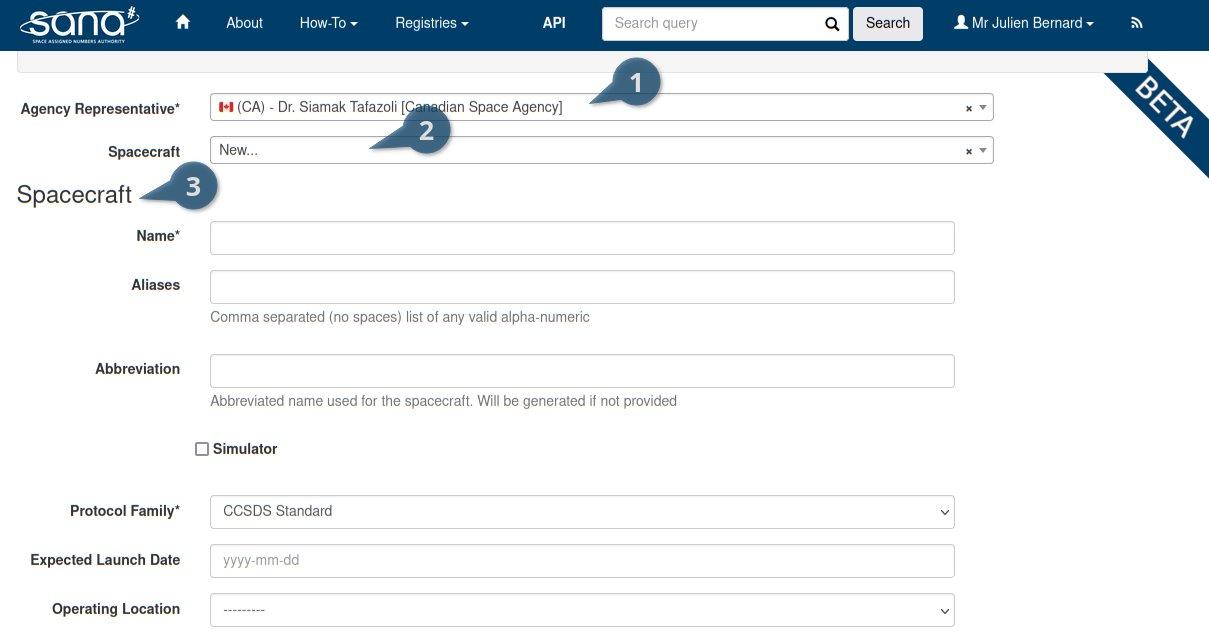

Legend
- As a user, select your sponsoring organization or as an Agency Representative, select your organization (generally you have only one)
- Create a new spacecraft or add new SCIDs to an existing one
- Your new spacecraft information
- Create the actual SCID request for your spacecraft
- Do not put information in the "Special Request" field but actual requests. Use comments for information
- Create a pre-filled reverse link
- Add another link to your request
- Submit your request, you would then be able to review and confirm your request
Manage an SCID
This section provides the indications on how to manage an existing SCID from the management page.
Only Agency representative can manage SCIDs
First, select the spacecraft from the list and click "Next".

You will then reach the management page for that spacecraft.
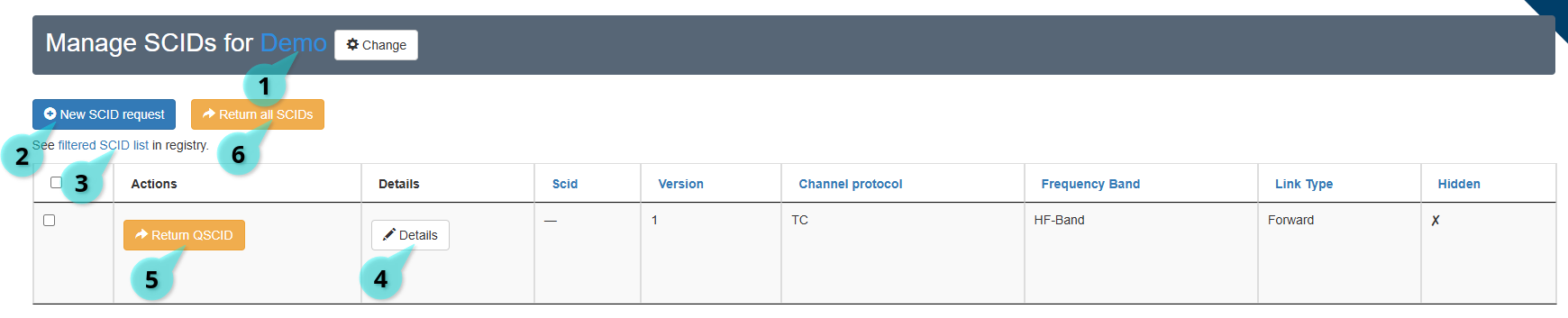
Legend
- The spacecraft your selected. You can click on it to see the full spacecraft record.
- Create a new SCID request
- See those SCIDs filtered in the registry
- See details of your SCID record
- Return the selected SCID
- Return all SCIDs for the selected spacecraft